🔔Store Announcement:
For international orders, currency conversion will be handled automatically by the bank upon payment.
If you need help completing your payment, please use Custom Payment to request an alternative option.
DismissSkip to content
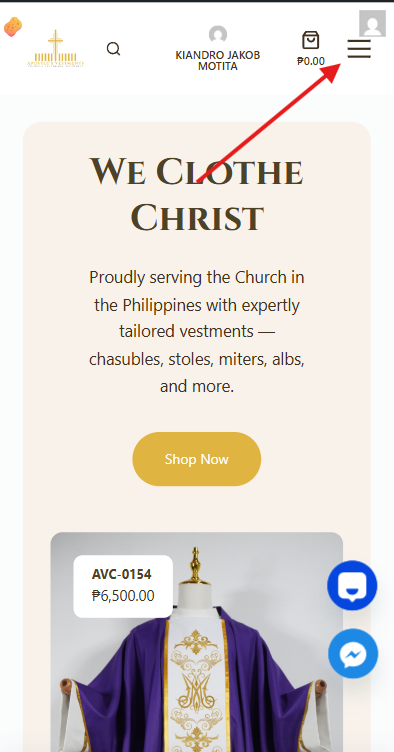
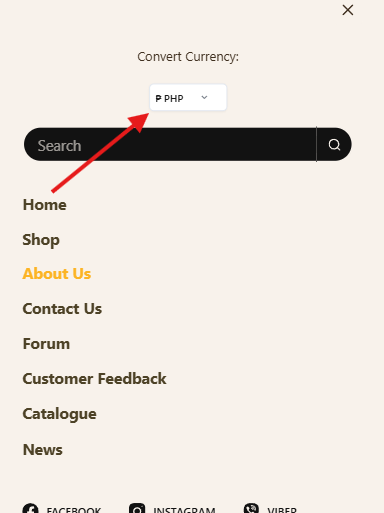
Step 1Select your preferred currency (PHP or USD). Choose the currency you want to use before browsing the products
1 you can see hamburger menu on the right corner of your phone.
2 after clicking the hamburger menu, you can now see the currency selector and choose your preferred currency.
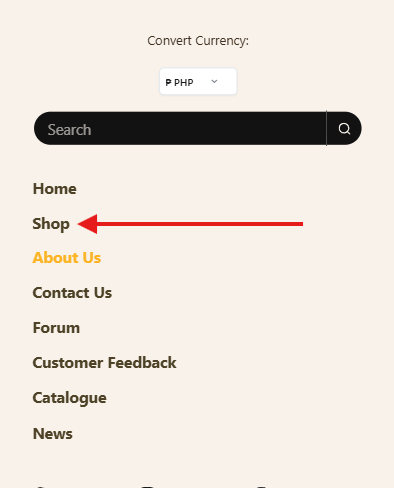
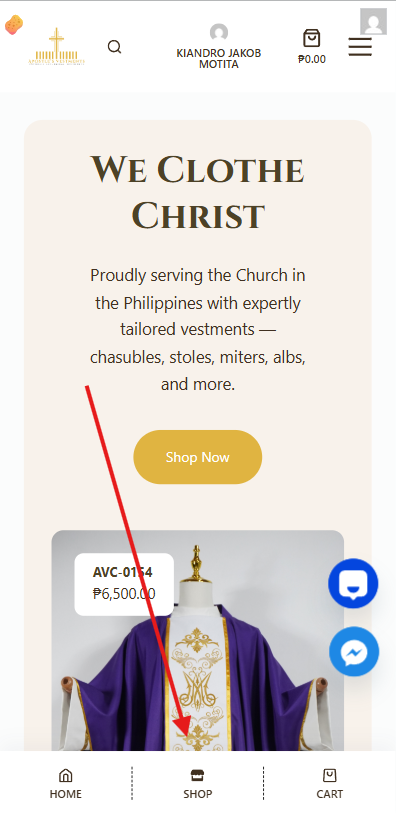
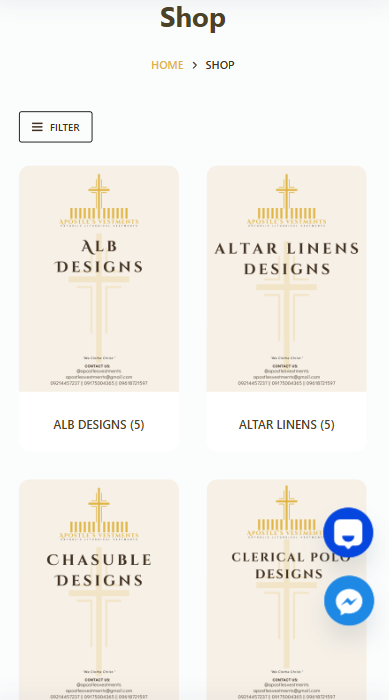
Step2 Click Shop to Browse our available Products You can access our shop in two different ways
Click the hamburger icon at the top of the screen. This will open the navigation menu where you can access the Shop section.
From the main cover of the website, look at the lower middle part of the page. You will also find a Shop button there that will take you directly to our products.
after clicking the shop
1 on the left side of the screen, you will see the Categories, which you can use to filter the products.
2 at the top of the category list, you will also see the Price Filter, which helps you choose products within your budget.
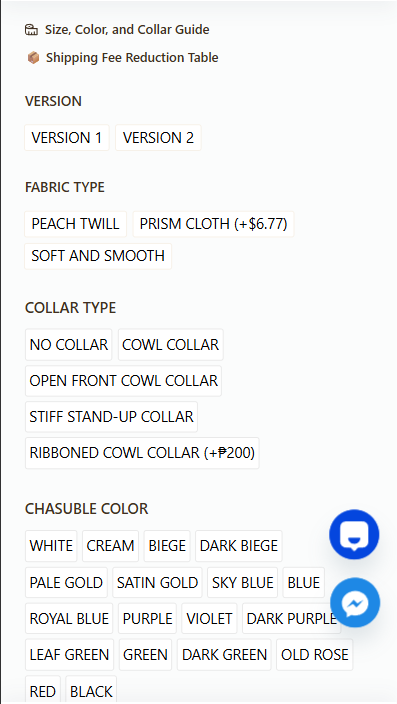
Step 3 After selecting a product, you will see the available variations.
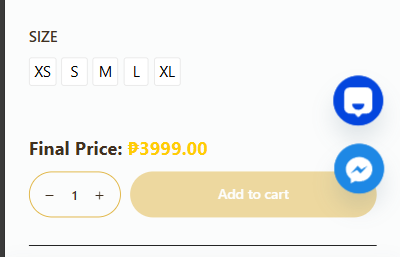
1 choose your preferred options such as fabric, collar, color, or size.
2 the variations may differ depending on the product you select.
Step 3 Click Add to Cart.
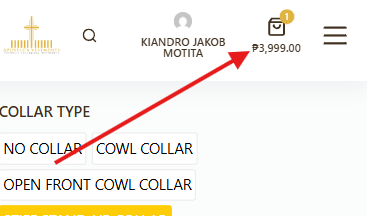
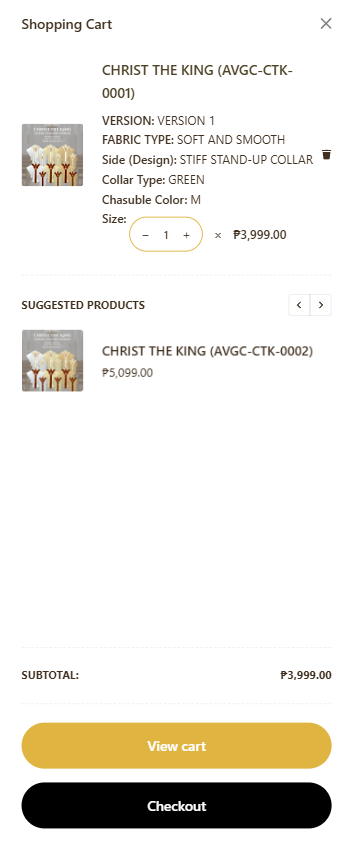
Step 4 Click the cart icon at the upper right side of your screen.
Review your order and then click Checkout.
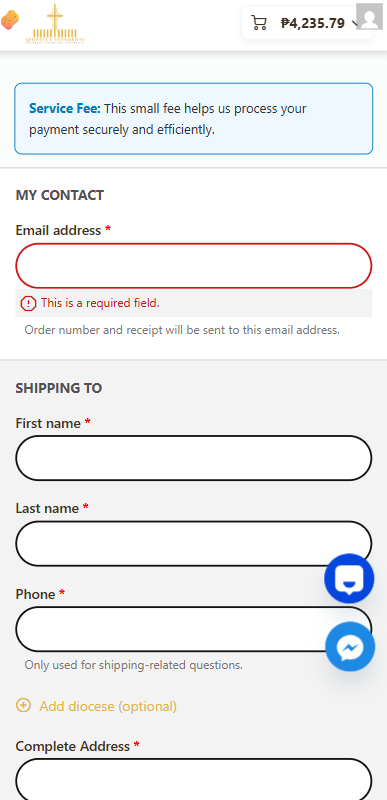
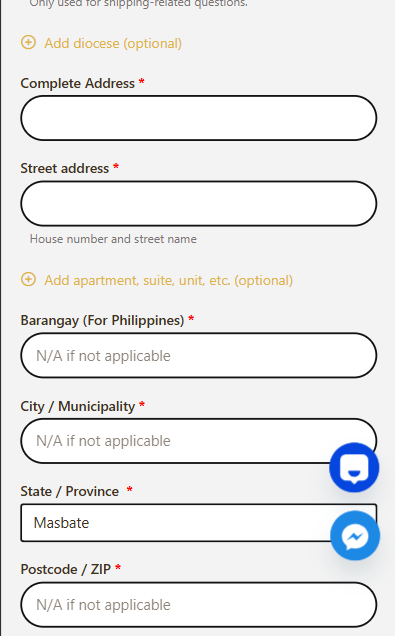
Step 5 After clicking Checkout, you will be redirected to a page where you can fill in your contact and shipping information.
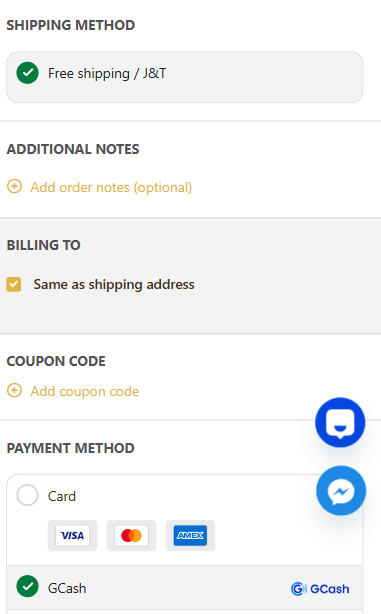
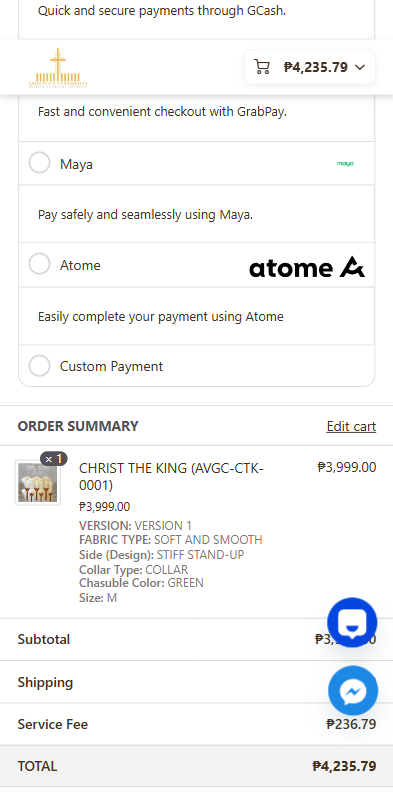
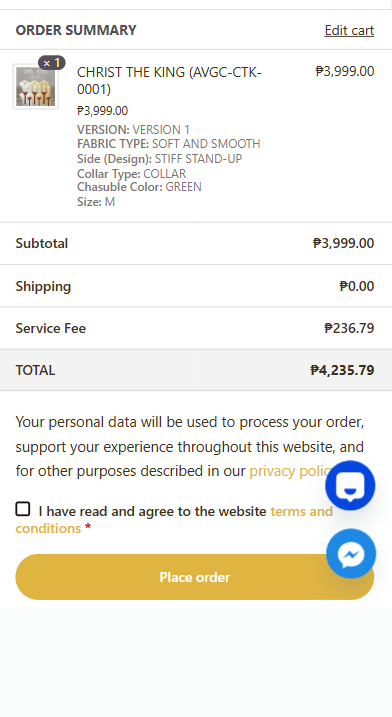
1 please remember to read the terms and conditions. At the bottom of the page, choose your preferred payment method.
2 freeShipping is only offered in the Philippines and any International rates apply at checkout
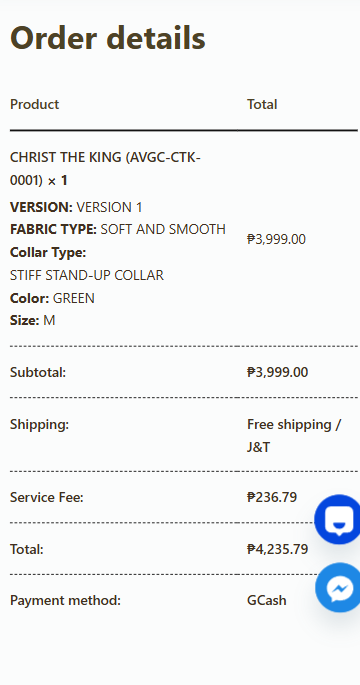
Step 6 once your payment is finalized, you will receive an email confirmation with your order details.
After completing all the steps, you will receive an email confirming your order and providing your order details.